Trust Signals That Are Not Badges
Stop looking for a “trust badge” plugin to fix your conversion rate. I’ve spent nine years un-building client sites that were bloated with every shiny, superficial security icon imaginable, yet the users still bounced in seconds. You can’t just slap a padlock icon on a poorly constructed layout and expect people to believe you aren’t a scam. Realizing how to design for trust isn’t about adding more visual noise; it’s about the integrity of your decisions. If your site feels like a Frankenstein’s monster of conflicting themes and slow-loading page builders, no amount of “verified” stickers will stop that subconscious feeling of dread in your visitor’s gut.
I’m not here to sell you on some high-level UX theory or expensive agency fluff. I’m going to show you how to build confidence through predictable patterns and technical cleanliness. We’re going to talk about the actual mechanics—from typography that doesn’t scream “cheap template” to the way your site handles data transparency—so you can stop guessing and start building. This is about making sure your design doesn’t betray the user before they even read your first headline.
Table of Contents
Leveraging User Experience Trust Signals They Already Recognize

Stop trying to reinvent the wheel. I see it all the time: a client wants a “disruptive” interface that ignores every established mental model in the book. They think they’re being edgy, but they’re actually just making their visitors sweat. When you deviate from standard patterns, you aren’t being a visionary; you’re just increasing the cognitive load. To actually succeed, you need to lean into user experience trust signals that people already know how to read. If your checkout button looks like a decorative blob or your navigation disappears into a custom-coded mystery, you’ve already lost them.
Building credibility through UI design isn’t about adding flashy animations or high-res hero images. It’s about predictability. People feel safe when they know what happens next. This means using recognizable iconography, standard placement for search bars, and clear hierarchies. When you use these established cues, you are reducing user friction and anxiety by letting the user cruise on autopilot. My job is usually spent cleaning up the mess left by designers who thought “unique” was better than “usable.” Trust isn’t something you manufacture with a clever font; it’s something you earn by not making your users work harder than they have to.
Reducing User Friction and Anxiety Through Predictable Patterns
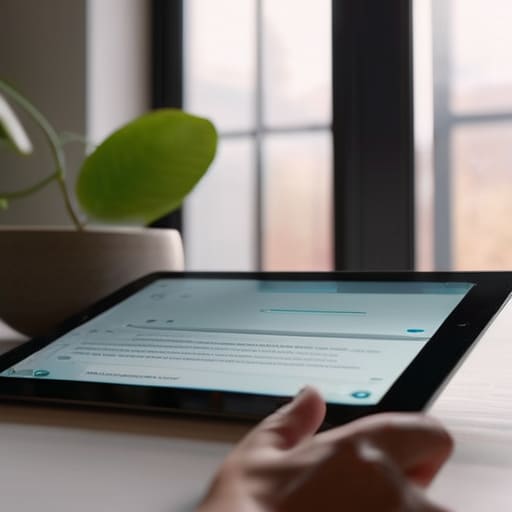
Predictability isn’t a lack of creativity; it’s a courtesy. When I’m digging through a client’s legacy site, the biggest red flag isn’t always bad code—it’s a navigation menu that decides to be “innovative” by hiding in a corner where nobody looks. Every time you force a user to relearn how to interact with your site, you’re injecting micro-doses of anxiety into their workflow. Reducing user friction and anxiety starts with respecting the mental models people have spent decades building. If a button looks like a button, it should behave like a button.
When you stray from established patterns just to look “edgy,” you aren’t being a visionary; you’re being a hurdle. I’ve seen countless developers try to reinvent the wheel with custom-coded checkout flows that ignore standard form behaviors, and it’s a nightmare for conversion. Building credibility through UI design means leaning into the logic of the web. If your layout is a chaotic mess of non-standard gestures and unexpected pop-ups, users won’t think you’re “disruptive”—they’ll think you’re broken, or worse, untrustworthy. Stick to the patterns that work so the user can focus on your content instead of wondering if your site is about to crash.
Stop playing games: 5 ways to actually earn a user's confidence
- Stop the “dark pattern” scavenger hunt. If I have to hunt through three sub-menus just to find your cancellation policy or your pricing structure, I’m not “engaged”—I’m suspicious. Transparency isn’t a feature; it’s the baseline.
- Respect the visual hierarchy you promised. If your site uses a massive, flashy hero section but then collapses into a cluttered, unorganized mess of tiny text and mismatched buttons, you’ve broken the unspoken contract. Consistency in layout signals that you actually know what you’re doing.
- Kill the loading spinners that go nowhere. Nothing screams “unreliable backend” like a site that hangs for five seconds while trying to fetch a single data point. If your site is slow because you’ve bloated it with unnecessary scripts, you aren’t just losing speed; you’re losing credibility.
- Use real data, not placeholder fluff. I see too many sites using “John D. from New York” and generic five-star icons that look like they were pulled from a free stock kit. If you want me to trust your social proof, make it specific, verifiable, and—for heaven’s sake—human.
- Own your errors gracefully. When a user hits a 404 or a form fails, don’t just throw a generic red box at them. Give them a clear, calm explanation of what happened and a way out. A broken link is a mistake; a broken user experience is a choice.
Stop guessing and start deciding
At the end of the day, designing for trust isn’t about adding some shiny “verified” badge or a stock photo of people shaking hands. It’s about the invisible work: using the patterns people already understand so they don’t have to think, and removing the friction that makes them feel like they’re being tricked. If you’re fighting against established UX signals or hiding your logic behind a messy, unpredictable interface, you aren’t being “innovative”—you’re just being exhausting. Trust is built in the small, predictable moments where a user realizes they aren’t being hunted by a dark pattern or slowed down by a bloated, over-designed mess.
My advice? Stop trying to reinvent the wheel and start looking at the decisions you’re making with every single element you place on a page. Every button, every form field, and every loading state is a conversation with your user. If you want them to trust you, you have to be transparent about your intentions before they even click. Don’t make them hunt for the exit or guess why a layout just shifted; give them a site that behaves exactly how they expect it to. When you stop treating design like a game of deception and start treating it like a series of intentional choices, that’s when you actually build something worth keeping.