Line Length Decides Readability
I was elbow-deep in a client’s legacy site last Tuesday—the kind of bloated, page-builder nightmare that makes you want to retire and open a bakery—when I saw it again. A massive wall of text stretching from one edge of the screen to the other, forcing the reader’s eyes to travel a marathon just to finish a single sentence. People act like figuring out how to set line length and height requires some expensive, proprietary design plugin or a degree in cognitive psychology, but it’s usually just a case of ignoring the fundamentals. Most of the time, you aren’t “designing” something new; you’re just fixing the mess left behind by someone who thought more pixels equaled more content.
I’m not here to sell you on a new workflow or a “revolutionary” design system. I’m going to show you how to look at the decisions your theme has already made and make the right adjustments to ensure your typography actually breathes. We’re going to talk about real-world constraints, why your current settings are probably killing your readability, and how to get it right without adding another layer of bloat to your site.
Table of Contents
Respecting the Optimal Characters Per Line Decision
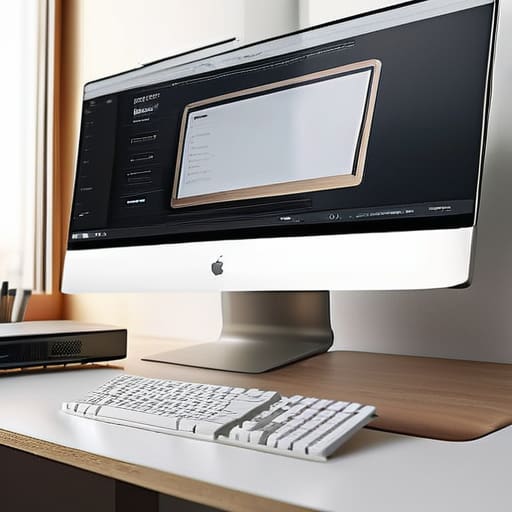
Look, I’ve inherited enough bloated client sites to know that when a developer tries to force a massive, cinematic text block across a 27-inch monitor, they aren’t being “bold”—they’re being cruel. When I’m auditing a site, I look at the container width first. If the theme was built with a specific max-width for the content area, that wasn’t an accident. It was a decision made to respect optimal characters per line.
If you ignore those existing constraints and try to stretch your text to fill a massive hero section, you’re going to wreck the user’s ability to scan. When the line gets too long, the eye loses its place when jumping back to the start of the next one. I don’t like fighting the CSS that’s already there; I’d rather figure out why the original designer chose a specific measure and then work within it. Following basic typography readability principles isn’t about being precious with your code; it’s about not making the reader work harder than they have to. If the theme wants a 700px container, give it a 700px container. Stop trying to be a hero and just let the text breathe.
Why Eye Tracking and Text Layout Dictate Your Flow

Look, I’m not going to lecture you on the biology of vision, but if you ignore eye tracking and text layout, you’re basically setting your readers up for a headache. When a line of text is too long, the eye has to travel a massive distance just to find the start of the next one. It’s exhausting. I’ve spent enough hours un-building bloated sites to know that when people struggle to scan a page, they don’t just “read less”—they bounce. They leave.
It’s not just about the horizontal stretch, either. You have to consider the vertical rhythm in design. If your line height is too tight, the text feels like a solid, impenetrable wall of ink. If it’s too loose, the words feel disconnected, like they’re floating in space without a purpose. You’re looking for that sweet spot where the eye can glide down the page without having to “re-aim” itself every single time it hits a line break. When you get the spacing right, the text feels like it has momentum. When you get it wrong, you’re just making your users work for something that should be effortless.
Stop guessing and start measuring: My rules for text rhythm
- Stop trying to fill the whole screen; if your line length stretches across a 27-inch monitor, your readers are going to give up before they hit the second paragraph.
- Check your theme’s container width first, because if you try to force a custom line length that ignores the existing grid, you’re just begging for a layout headache.
- Use a 1.5 line-height ratio as your baseline, but don’t be afraid to bump it up if the typeface you’re using has a particularly tight x-height.
- Test your line height on a mobile device, because what looks like a breathable layout on my desktop can easily turn into a disjointed mess of white space on a phone.
- Don’t treat line height as a “set it and forget it” setting; if you change the font size, you have to re-evaluate the leading, or you’ll end up with text that looks like it’s suffocating.
Stop fighting your layout

At the end of the day, setting your line length and height isn’t some complex mathematical formula you need to solve to impress a client. It’s about realizing that if your text is stretching across a massive 1440px viewport like a piece of pulled taffy, you’ve already lost the reader. You need to respect the character count per line to keep the eye moving, and you need enough vertical breathing room so the text doesn’t feel like a suffocating wall of gray. I’ve spent way too many hours un-breaking sites where a developer thought “bigger is better,” only to realize they had actually destroyed the entire reading experience. Stick to the constraints, keep your line lengths tight, and stop overcomplicating the basics.
If you take anything away from this, let it be this: good design is often about what you choose not to do. You don’t need a heavy page builder or a custom-coded grid system to achieve readability; you just need to respect the way the human eye actually functions. When you stop trying to fight the natural flow of text and start making decisions that support the reader, the site starts to feel professional instead of cluttered. Build something that people can actually read without getting a headache, and you’ll already be ahead of 90% of the junk currently sitting on the web.