A Contact Page With Expectations Set
I was staring at a client’s dashboard last Tuesday, nursing a lukewarm coffee and trying not to gag at the sheer bloat of their new “premium” site. They’d spent three grand on a massive page builder just to create a single, cluttered mess of a contact section that looked like a digital junk drawer. People act like learning how to design a contact page requires some high-priced, proprietary plugin or a heavy-duty animation library to look “professional.” It’s a lie. Most of the time, you’re just adding layers of unnecessary code that slow your site to a crawl and frustrate the very people trying to reach you.
I’m not here to sell you on a new subscription or a “revolutionary” design framework. Instead, I’m going to show you how to strip away the noise and build something that actually works. I’ll walk you through the essential, unsexy fundamentals of layout and user intent that I’ve learned from nine years of fixing other people’s mistakes. We’re going to focus on clarity, speed, and making sure your visitors don’t want to throw their mouse across the room just to send you a simple inquiry.
Table of Contents
Decoding Essential Contact Page Elements

Look, I’ve inherited enough bloated contact pages to know that most people treat this part of a site like an afterthought. They slap a generic form in the middle of a blank page and call it a day. But if you actually care about user experience contact form design, you have to realize that every single field you add is a potential exit point. Every extra question is a tiny psychological hurdle. I’m a big believer in minimizing form field fatigue; if you don’t absolutely need their physical address or their favorite color to fulfill the request, leave it out.
Beyond the form itself, you need to provide context. A naked input box is intimidating. I always include a clear expectation of what happens next—will they hear from me in an hour or three business days? This isn’t just about being polite; it’s about reducing conversion friction. When people know the timeline, they stop hovering over the “back” button. Pair that with some secondary contact methods, like a direct email or a social link, so they don’t feel trapped in your specific workflow. It’s about creating a bridge, not a gate.
Mastering User Experience Contact Form Design
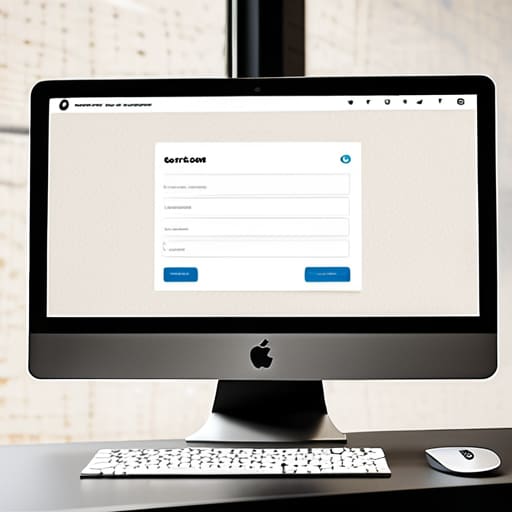
Look, I’ve spent way too many hours cleaning up the mess left behind by “creative” developers who thought a contact form was a place to experiment with avant-garde layouts. If you want people to actually reach out, you need to focus on reducing conversion friction. Every extra field you add is just another reason for a potential client to close the tab and find someone else. I’m talking about minimizing form field fatigue—if you don’t absolutely need their middle name or their favorite color, don’t ask for it. Keep it lean, keep it functional, and for heaven’s sake, keep it legible.
When it comes to the actual user experience contact form design, placement and spacing are where most people trip up. I see it all the time: tiny input boxes buried in a sea of whitespace or labels that disappear the second you click inside them. That’s not design; that’s a usability nightmare. You want a clear, logical flow that guides the eye from the first field to the submit button without any visual hiccups. If your form feels like a chore to fill out, you’ve already lost them. Don’t make them work for the privilege of giving you money.
Stop making people hunt for the "Send" button
- Give your form some breathing room. I’ve inherited sites where the input fields are so cramped you’d think they were trying to hide them. Use generous padding; if the user feels claustrophobic just looking at your form, they aren’t going to fill it out.
- Kill the unnecessary fields. Every extra dropdown or “How did you hear about us?” checkbox you add is just another reason for a potential client to close the tab. If you don’t absolutely need that data to respond, delete it.
- Use clear, human labels. Don’t get cute with “Inquire within” or “Reach out to the void.” Just say “Message” or “Email.” We aren’t writing poetry here; we’re trying to facilitate a conversation.
- Show them what happens next. There is nothing more frustrating than clicking submit and staring at a frozen screen. Give me a clear success message or a redirect that confirms the data actually went somewhere.
- Don’t bury your contact info. If you have a physical office or a direct phone number, put it on the page. Some people hate forms—they want to see a human email address so they know they aren’t screaming into a black hole.
Stop Guessing and Start Building
At the end of the day, a contact page isn’t just a place to dump a form and call it a day. It’s the culmination of everything we just talked about: the right hierarchy, a form that doesn’t feel like a chore to fill out, and a layout that actually makes sense to a human being. I’ve spent too many hours cleaning up sites where the “contact” section was an afterthought buried under a bloated page builder, and let me tell you, it shows. If you focus on minimizing friction and keeping your essential elements clear, you aren’t just designing a page; you’re building a bridge between a visitor and a real conversation. Don’t let a messy layout or a confusing UX be the reason a lead decides to bounce.
My advice? Stop trying to reinvent the wheel just to prove you can. Stick to the patterns that work, keep your code clean, and treat every field in your form like it’s valuable real estate. A well-designed contact page shouldn’t feel like a hurdle; it should feel like an open door. Now, go back through your build, strip away the fluff, and make sure that when someone finally decides to reach out, you’ve actually made it easy for them to do so.