Two Typefaces Are Enough
I’ve spent nine years cleaning up the digital equivalent of a crime scene—sites where a client decided to load fifteen different Google Fonts because they “looked pretty” in a vacuum. Most people treat typography like a buffet, grabbing whatever looks expensive or trendy without realizing they’re actually sabotaging their site’s performance and readability. They think learning how to choose typefaces is about finding the most beautiful characters, but they’re missing the point entirely. It’s not about aesthetics in isolation; it’s about the structural decisions those letters make once they hit a browser.
I’m not here to give you a lecture on the history of serif vs. sans-serif or sell you a $500 font pairing guide. Instead, I’m going to show you how to look at type as a set of pre-made decisions that either support your layout or tear it apart. I’ll teach you how to audit a typeface’s utility before you ever hit “install,” so you can stop guessing and start building sites that actually work. We’re going to focus on intentionality over decoration, because if your font choice makes your site crawl, it doesn’t matter how good it looks.
Table of Contents
Decoding Serif vs Sans Serif Usage Patterns
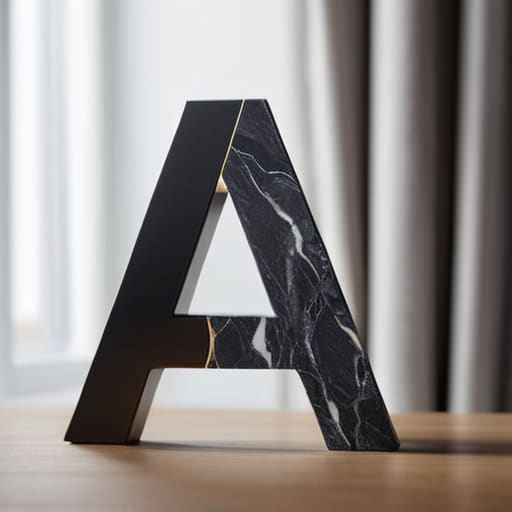
Most people treat the serif vs sans serif debate like a coin toss, but that’s how you end up with a site that feels like a disorganized junk drawer. I’ve spent enough time cleaning up client sites to know that these aren’t just “styles”—they are functional tools. A serif isn’t just “fancy”; it carries a specific weight and historical baggage that can anchor a layout. If you’re trying to establish a serious brand identity typography strategy, you use serifs to signal authority. But if you slap a heavy, high-contrast serif on a low-resolution screen without thinking about web font performance optimization, you’re just asking for a blurry, illegible mess.
The real trick is understanding how they interact within your font hierarchy and scale. I usually look for a pairing that creates immediate visual tension. I’ll pair a clean, geometric sans serif for my UI elements and headers to keep things snappy, then lean into a legible serif for the long-form body text to give the eyes a place to rest. You aren’t just picking two fonts that “look nice” together; you are deciding which one is going to do the heavy lifting and which one is just there to provide the structural backbone. If the distinction isn’t obvious at a glance, you’ve failed the design.
Mastering Font Weight and Contrast for Intent
Once you’ve settled on your typeface families, you have to stop looking at them as just “letters” and start seeing them as tools for directing traffic. This is where most people trip up. They pick a font they love, realize it looks “weak” on a headline, and then just crank the weight up to a ridiculous level. That’s not design; that’s a cry for help. To actually master font weight and contrast, you need to understand that weight isn’t just about being “bold”—it’s about creating a visual path for the user’s eye to follow.
If everything is heavy, nothing is important. I see this constantly in the messy sites I inherit: a developer uses a heavy weight for the H1, the H2, and even the body copy because they want it to “pop.” Instead, you should be leaning into font hierarchy and scale to create breathing room. I like to use a light or regular weight for my long-form text to keep it readable, then use a much heavier weight for headers to anchor the page. It’s about making sure the user knows exactly where to look first without you having to scream at them in all caps.
Stop treating fonts like decoration and start treating them like architecture
- Stop hunting for “pretty” fonts and start looking for functional ones; if a typeface doesn’t have a decent range of weights, it’s going to fail you the moment you need a subheader that actually stands out.
- Check the kerning before you commit, because I’ve spent way too many hours fixing the awkward gaps left behind by “trendy” freebies that look great in a logo but fall apart in a paragraph.
- Limit your palette to two—maybe three if you’re feeling reckless—because a site that tries to speak five different typographic languages ends up saying absolutely nothing.
- Test your choices in a real browser environment, not just a high-res Figma file, because a font that looks divine in a design tool can become a bloated, unreadable mess once it hits a live WordPress build.
- Respect the hierarchy by letting the typeface do the heavy lifting; if you can’t tell what’s a heading and what’s body text without looking at the size, your font selection has failed.
Stop Overthinking and Start Deciding

Look, choosing typefaces isn’t about finding the “prettiest” font in a catalog; it’s about understanding the structural logic you’ve built. We’ve covered how to navigate the serif vs. sans serif divide and how to use weight to guide a user’s eye without making the layout look like a ransom note. If you can balance those hierarchies and respect the intentionality of contrast, you’re already ahead of 90% of the developers I have to clean up after. Don’t just throw a font at a page and hope it sticks. You need to ensure every single character choice serves the underlying architecture of the site’s purpose.
At the end of the day, typography is the silent engine of your design. It’s the difference between a site that feels professional and one that feels like it was slapped together with a generic page builder and a prayer. My advice? Stop looking for perfection and start looking for cohesion. A typeface is just a tool, and like any good tool, it only works if you know exactly what it’s meant to do before you pick it up. Now, go close those twenty open Google Font tabs and make a decision.