Stock Photography and Its Cost
I spent three hours last Tuesday staring at a client’s landing page that looked like a digital junk drawer. They had high-end, moody lifestyle photography clashing violently with these bright, bouncy, “friendly” vector illustrations that clearly came from a $5 stock subscription. It was a visual car crash. Most people think learning how to use illustration and photography is about picking two pretty things and slapping them on a grid, but they’re wrong. It’s actually about managing the tension between reality and abstraction so your site doesn’t look like it was designed by a committee of people who haven’t spoken to each other in years.
I’m not here to give you a lecture on color theory or some overpriced design masterclass. I’ve spent nine years un-building sites that failed because the visual language was incoherent, and I’ve learned exactly where the friction points live. I’m going to show you how to make these two mediums work together without turning your layout into a mess. We’re going to look at the intentional decisions you need to make regarding weight, tone, and space so your site actually feels unified instead of just cluttered.
Table of Contents
The Architecture of Combining Digital Art and Photos

When I’m auditing a site, I don’t just look at the colors; I look at the structural logic of the assets. Most people treat images like stickers they can just slap onto a page, but true graphic design composition requires a bit more foresight. If you’re combining digital art and photos, you have to decide who is leading the dance. Is the illustration providing the context for the photo, or is the photo acting as a grounded anchor for a more abstract piece of digital art? If you don’t establish this hierarchy early, the layout ends up feeling like a cluttered junk drawer rather than a cohesive experience.
I’ve inherited too many sites where the “mixed media” approach felt more like a collision than a collaboration. To avoid that, you need to treat these elements as part of a single visual brand identity. I usually look for a shared DNA—maybe it’s a consistent color palette or a specific line weight in the illustrations that echoes the shadows in the photography. When you get this right, you aren’t just decorating; you’re using visual storytelling techniques to guide the user’s eye exactly where you want it to go, without the friction of a messy, unoptimized interface.
Mastering Visual Storytelling Techniques Through Intentional Layers
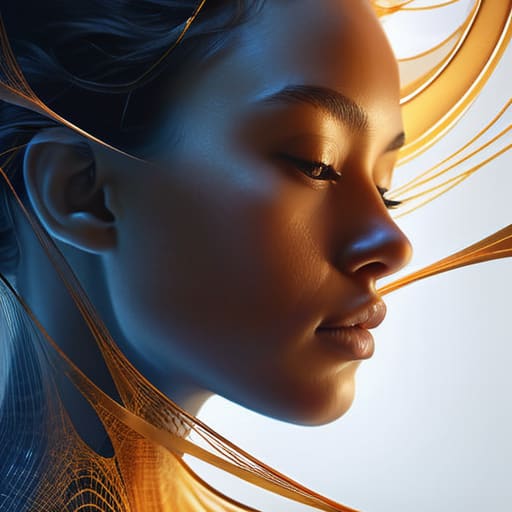
When I’m digging through a client’s mess of a site, I usually see two things: photos that look like stock-photo purgatory and illustrations that feel like an afterthought. To actually make them work together, you have to stop treating them like separate files and start treating them like a single layer of logic. I’ve learned that the secret to visual storytelling techniques isn’t just slapping a vector icon on a portrait; it’s about using the illustration to bridge the gap between the reality of the photo and the abstraction of the brand. If the photo is heavy and literal, your digital art needs to provide the connective tissue—the lines, the shapes, or the motion—that guides the eye where it actually needs to go.
I’m a big believer that if your layers aren’t communicating, you’re just adding bloat. I look at combining digital art and photos as a way to build depth without needing a massive, unoptimized file size. You might use a subtle, hand-drawn texture to overlay a sharp product shot, or perhaps a geometric shape that “cuts” into a lifestyle image to create a sense of movement. It’s about intentionality. If you aren’t using the art to emphasize a specific part of the photograph, you’re just making a mess of your graphic design composition.
Five ways to stop your visuals from fighting each other
- Stop trying to make them match perfectly. I’ve seen people hunt for illustrations that mimic a photo’s lighting, and it’s a waste of time. Instead, pick a style—like a rough hand-drawn line—and let it sit on top of a clean photo. The contrast is where the interest lives.
- Watch your color palette like a hawk. If your photo is a moody, desaturated landscape and your illustration is neon pink, you aren’t being “bold,” you’re being messy. Pick one dominant tone from the photo and pull your illustration colors from that same well.
- Respect the hierarchy. If you’re layering a vector shape over a headshot, make sure the shape isn’t obscuring the subject’s eyes. I’ve inherited too many sites where the “design” effectively blinded the user to the actual content.
- Mind the weight. A heavy, chunky illustration can absolutely crush a delicate photograph. If your photo has a lot of fine detail, use thin, minimal line art. If you go heavy on both, the user’s brain just gives up trying to process the page.
- Use illustration to fill the “dead zones.” I don’t use art just for the sake of it; I use it to guide the eye. If a photo leaves a massive, awkward empty space on the left, that’s where a small, purposeful graphic belongs to bridge the gap to your text.
Stop guessing and start deciding
At the end of the day, mixing illustration and photography isn’t about making things look “pretty”—it’s about making sure the visual hierarchy doesn’t collapse under its own weight. We’ve talked about the structural architecture, the way layers create depth, and how to use intentionality rather than just throwing assets at a canvas to see what sticks. If you’re treating your visuals like a random pile of assets, you’ve already lost the battle. You have to treat every element as a deliberate decision, much like how I audit a theme’s code before I let it touch a live server. If the illustration doesn’t serve the photo, and the photo doesn’t anchor the user’s eye, you aren’t designing; you’re just adding unnecessary bloat to your visual storytelling.
My advice? Stop being afraid of the friction between the organic and the digital. Some of the best work I’ve seen happens when there is a slight, controlled tension between a crisp photograph and a hand-drawn element. Don’t aim for a seamless, boring blend that disappears into the background. Instead, aim for a cohesive visual language that feels intentional. When you stop treating your design like a series of accidents and start viewing it as a set of calculated moves, that’s when your work actually starts to hold its own. Now, go out there and build something that actually has a point.