Product Pages That Answer Questions
I spent three hours yesterday unpicking a bloated, “all-in-one” page builder that a client insisted on using because the sales page promised “infinite creativity.” All it actually gave me was a DOM tree so deep I felt like I was navigating a labyrinth, and a site speed that moved like molasses in January. Most gurus will tell you that learning how to design a product page requires expensive plugins or complex animations to “wow” the customer, but they’re lying to you. In reality, most of that extra weight is just digital landfill that kills your conversion rate before the user even sees your price point.
I’m not here to sell you on a new workflow or a subscription to some heavy-duty builder. Instead, I’m going to show you how to approach the layout by respecting the logic of your existing setup rather than fighting it. We’re going to talk about clean hierarchy, purposeful typography, and why less code actually equals more sales. This isn’t about flashy gimmicks; it’s about intentional decisions that make your products actually sell.
Table of Contents
Respecting the Existing Logic of Product Page Layout Best Practices

The biggest mistake I see developers make is trying to force a “creative” layout that fights against the core CSS of the site. If your theme was built with a specific grid system or a certain way of handling container widths, stop trying to drag-and-drop your way into a revolution. When you ignore the underlying architecture, you end up with a bloated mess that kills your user experience for online stores. I’ve spent more hours than I care to admit fixing broken layouts that were actually just a developer’s refusal to respect the existing logic of the framework.
Instead of fighting the theme, look at the structural intent. Most modern WooCommerce-ready themes have already optimized the call to action placement and the hierarchy of information to ensure the eye moves naturally from the price to the buy button. If you start moving elements around just because you think a centered layout looks “cleaner,” you’re likely sabotaging your e-commerce conversion rate optimization. Work with the constraints provided. If the theme wants the product image on the left and the description on the right, give it that. It’s not about being uninspired; it’s about recognizing that a well-coded theme has already done the heavy lifting for your site’s performance.
Aligning Your Vision With Established User Experience for Online Stores
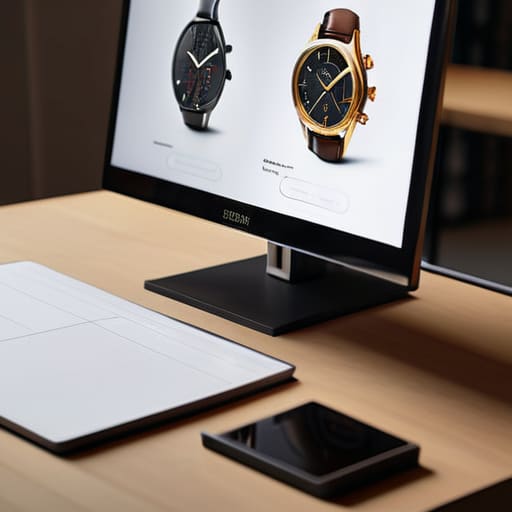
Look, you can have the most avant-garde, brutalist design concept in your head, but if you ignore user experience for online stores, you’re just building a digital museum that nobody is buying from. I’ve inherited too many “creative” sites where the designer decided to hide the price or bury the “Add to Cart” button under a mountain of custom CSS just for the aesthetic. It’s a waste of time. People have mental models of how a shop works; they expect the product image on one side and the price/description on the other. When you fight those patterns, you aren’t being a visionary—you’re just creating friction.
If you want to actually see an improvement in your e-commerce conversion rate optimization, you have to stop treating the page like a blank canvas and start treating it like a functional tool. This means respecting the hierarchy. Your call to action placement shouldn’t be a scavenger hunt. If I have to scroll through three paragraphs of brand manifesto before I see a way to actually buy the damn thing, I’m out. Stick to the established flow: show the goods, prove they work with some social proof, and make the checkout path feel inevitable. Don’t reinvent the wheel; just make sure your wheel actually turns.
Stop fighting your layout: 5 ways to design a product page that actually works
- Stop trying to reinvent the wheel with your CTA. I’ve seen too many designers try to hide the “Add to Cart” button in some avant-garde corner of the page just to look “different.” It’s not clever; it’s friction. If your button isn’t where the user’s eyes expect it to be, you aren’t designing—you’re obstructing.
- Treat your imagery like your typography: it needs hierarchy. Don’t just dump five high-res photos into a messy slider that kills your page speed. Give the primary product shot the space it deserves, and make sure the secondary angles are organized so the user isn’t hunting for details.
- Respect the white space or die trying. When I inherit a site, half the time the “design” is just a cluttered mess of divs fighting for attention. If your product description is suffocating your price point, you’ve failed. Give your elements room to breathe so the user can actually process what they’re buying.
- Optimize for the “scrolling brain.” Most people aren’t reading your entire manifesto on the product page; they’re scanning. Use clear headings and bullet points for technical specs. If I have to read a wall of text to find the dimensions of a product, I’m bouncing.
- Don’t let a heavy page builder ruin your mobile UX. You might think that fancy parallax effect looks great on your 27-inch monitor, but if it turns the mobile product page into a laggy, unclickable nightmare, it’s useless. Design for the thumb, not just the mouse.
Stop Fighting Your Theme

At the end of the day, designing a high-converting product page isn’t about reinventing the wheel or seeing how many flashy widgets you can stack on a single screen. It’s about understanding the structural decisions already baked into your layout and working with them rather than against them. We’ve talked about respecting the existing logic of your theme, aligning your visual hierarchy with established UX patterns, and ensuring your design doesn’t become a bloated, slow-loading mess just because you wanted a custom slider. If you respect the constraints of your framework and focus on clarity over cleverness, you’ll end up with a page that actually sells instead of one that just looks like a digital scrapheap.
Stop treating your WordPress theme like an enemy you need to conquer with heavy page builders and custom CSS hacks. Once you realize that a good theme is just a set of smart decisions waiting for your direction, your workflow changes. You stop fighting the code and start refining the experience. Go back to your product pages, strip away the unnecessary noise, and build something that respects both the user’s time and the developer’s intent. Design with purpose, not just for the sake of seeing what a plugin can do.