A Homepage That Routes People
I just spent three hours cleaning up a “premium” site where the client had spent two grand on a page builder only to end up with a bloated, unreadable mess. It’s the same story every time: someone thinks they can bypass logic by stacking expensive plugins like Lego bricks, and then they wonder why their site feels like it’s running through waist-deep mud. Most people approach learning how to design a homepage by looking for the flashiest widgets or the most expensive templates, but they completely miss the point. They aren’t designing; they’re just decorating a disaster.
I’m not here to sell you a subscription to some bloated drag-and-drop tool or promise you a “magic” layout. Instead, I’m going to show you how to look at the underlying decisions—the typography, the hierarchy, and the actual structural logic—that make a site work. We are going to strip away the fluff and focus on the intentionality required to build a front page that actually performs. If you want a pretty, slow-loading mess, go elsewhere; if you want to understand the architecture of a real site, let’s get to work.
Table of Contents
Decoding Visual Hierarchy in Web Design
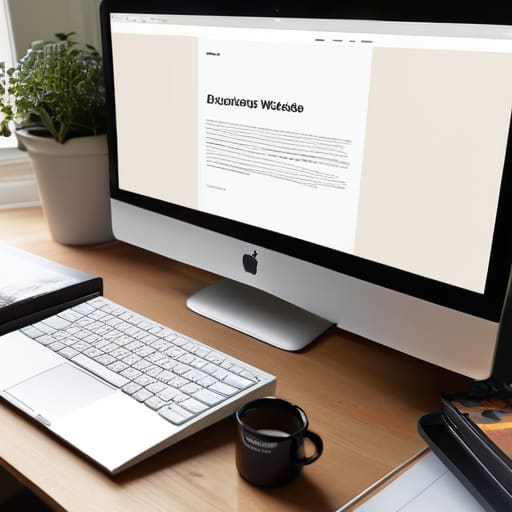
Most people treat a homepage like a junk drawer—they just shove everything they think is important into the top fold and hope for the best. That’s not design; that’s clutter. When I’m looking at visual hierarchy in web design, I’m not just checking if the colors look pretty. I’m looking for the order of operations. I want to see if the designer actually understood user experience principles or if they just let a page builder dictate the flow. If your eye doesn’t know exactly where to land within two seconds of the page loading, you’ve already lost the visitor.
You have to be ruthless with your scale and weight. I see it all the time: a massive, distracting hero image that competes with the headline, or a “Learn More” button that has the same visual weight as a footer link. That’s a failure of call to action placement. You need to use size, color, and whitespace to tell the user’s brain what matters first. If everything is shouting, nothing is actually being heard. I’ve spent too many hours un-building sites where the hierarchy was so broken that even a basic navigation structure felt like a chore to navigate. Stop treating every element like it’s the protagonist of the story.
The Hidden Logic of Website Layout Best Practices
Most people treat a layout like a game of Tetris, just trying to shove blocks into empty spaces until the screen looks “full.” That’s exactly how you end up with a bloated, confusing mess that kills your conversion rate optimization. When I look at a layout, I’m not just looking at where the images sit; I’m looking for the underlying intent. Every element should serve a specific purpose in the user’s journey. If a section doesn’t contribute to the narrative or guide the eye toward a goal, it’s just digital clutter.
I’ve spent too many hours un-building sites where the navigation structure felt like a labyrinth designed by someone who had never actually used a browser. Real website layout best practices aren’t about following a trendy grid you saw on Dribbble; they are about reducing cognitive load. You want to minimize the amount of thinking a visitor has to do. This means your call to action placement shouldn’t be a guessing game. If I have to hunt for the “Contact” button because it’s buried under a mountain of decorative div tags and unnecessary animations, the layout has already failed. Layout is logic, not just decoration.
Stop Guessing and Start Choosing: 5 Rules for a Homepage That Actually Works
- Kill your darlings before the page builder does. I see people trying to force a massive, high-res slider into a hero section because it “looks cool,” but all they’re doing is bloating the DOM and killing their LCP. If an element doesn’t serve a direct purpose for the user, delete it.
- Audit your typeface pairings before you commit. A homepage isn’t just a canvas; it’s a typographic hierarchy. If you’re using five different weights and three different families, you aren’t being “expressive,” you’re being messy. Pick two solid typefaces and learn how to use scale to do the heavy lifting.
- Respect the white space—it’s not “empty,” it’s breathing room. Most clients think a gap in the layout is a mistake that needs filling with a widget or a testimonial slider. I spend half my life un-building sites that are suffocating under their own content. Give your elements room to exist.
- Design for the “Scan,” not the “Read.” Most people aren’t going to sit there and devour your mission statement. They are going to flick their eyes across the screen like they’re looking for a reason to leave. If your most important CTA isn’t obvious within three seconds of the page loading, you’ve already lost.
- Check the “Theme Debt” before you build. Before you start dragging blocks around, look at the underlying code of your theme. If the theme is making a thousand tiny, bad decisions about how it handles CSS, no amount of clever homepage design is going to save your site from being a slow, bloated mess.
Stop Guessing and Start Deciding
Look, designing a homepage isn’t about picking a pretty color palette or finding a font that looks “modern” in a vacuum. It’s about the structural integrity of your decisions. We’ve talked about decoding visual hierarchy so your users don’t get lost, and we’ve dissected the layout logic that keeps a site from feeling like a junk drawer. If you can’t explain why a button is placed in a specific spot or why a certain section carries more weight than another, you aren’t designing; you’re just playing with digital blocks. Remember, a successful homepage is built on intentionality, not accidents. Every element needs a reason to exist, or it’s just more bloat for me to clean up later.
At the end of the day, your homepage is the first set of instructions you give to a stranger. Don’t make them work to understand you. Stop treating your layout like a collection of random widgets and start treating it like a curated sequence of ideas. You don’t need a heavy, bloated page builder to make something look professional; you just need to be decisive about the architecture you’re building. Go build something that actually makes sense.